HTML — The structure and content of your website.
This includes text, images, buttons, input fields, and more.
CSS — Controls the visual design and layout.
JavaScript — Adds functionality, interactivity, and logic to your site.
Headings
HTML headings include <h1> through <h6>.
They get smaller in size and importance as the number increases.
<h1>is the Main Heading (largest, most important)<h6>is the Minimal Heading (smallest, least important)
<h1>Main Heading</h1>
<h2>Section Heading</h2>
<h3>Subsection</h3>
<h4>Group Heading</h4>
<h5>Small Heading</h5>
<h6>Minimal Heading</h6>
Main Heading
Section Heading
Subsection
Group Heading
Small Heading
Minimal Heading
Paragraphs
Use the <p> tag to write paragraphs of text.
Example:
<p>This is a paragraph of text.</p>
Images
To display an image, use the <img> tag.
It is a self-closing element, so both of these are valid:
<img>
<img />
The src attribute defines where the image comes from, and width lets you scale the image without CSS:
<img src="./file-path" width="100%">
Example:
<img src="https://s3-eu-west-1.amazonaws.com/tpd/logos/5e95add96cc4d600016010f2/0x0.png" width="50%">

Div
If we wanted to group elemets together . We use a tag called <div> (Divider).
<div>
  <p>My content within a div</p>
</div>
Often you see multiple diva on a page a page. TO show children of divs
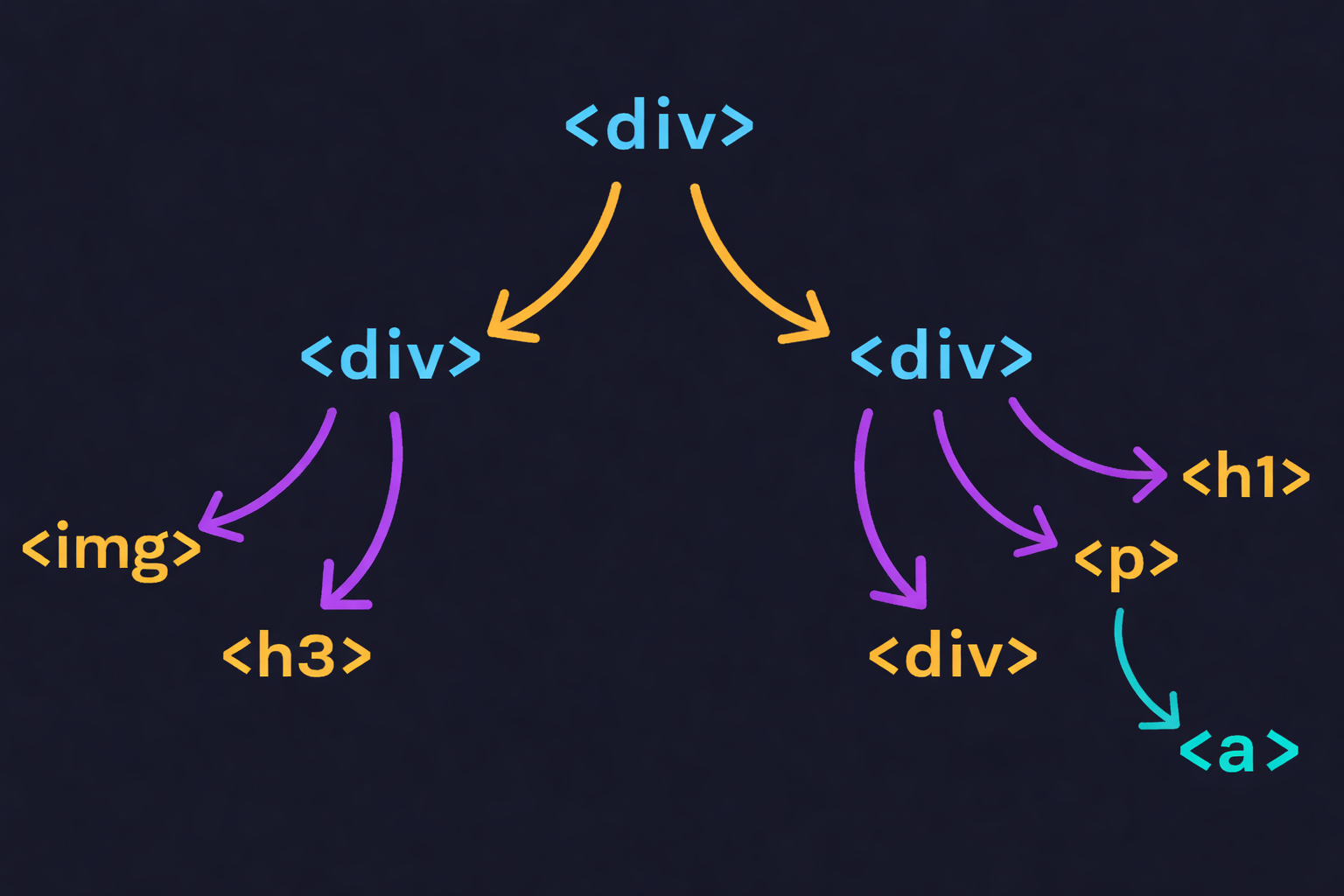
We can tager the <div> using CSS or Javascript.